
AI Automation
Your team spends hours on repetitive admin, follow-ups and answering the same questions. We find that work, then hand the routine parts to automation and AI: helping capture and route requests, sending follow-ups, and running repetitive processes in the background, built on the Microsoft tools you already pay for and held to the same security and service standards as everything else we do.
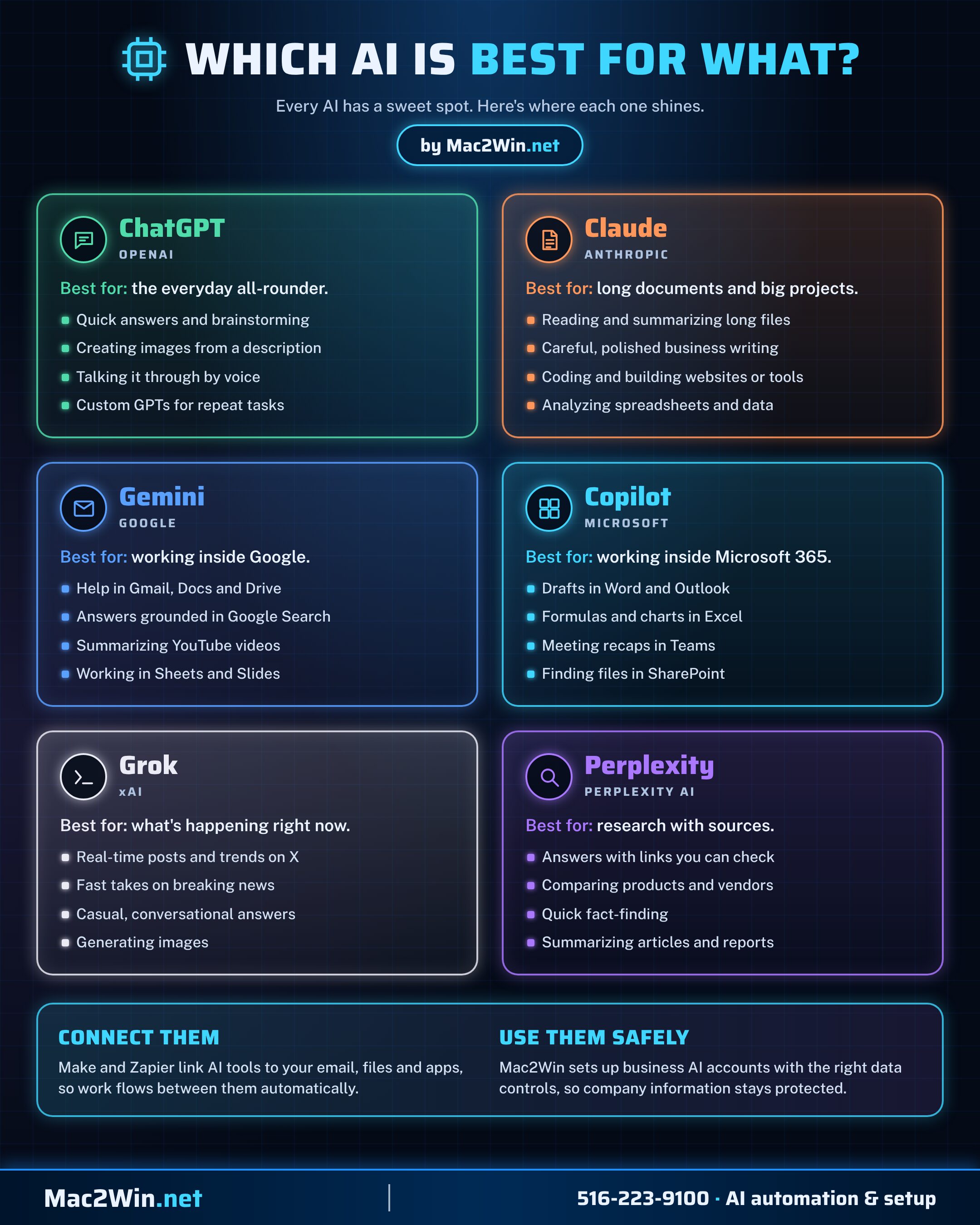
Which AI is best for what?
Every AI has a sweet spot. We help you pick the right one for each job, set it up on business accounts, and connect it to the apps you already use.
- ChatGPT the everyday all-rounder: answers, ideas, images and voice
- Claude long documents, polished writing, coding and data analysis
- Gemini working inside Gmail, Docs, Drive and Google Search
- Copilot working inside Word, Excel, Outlook and Teams
- Grok real-time news and trends on X
- Perplexity research with sources you can check
What we offer
Discovery first
- Process review. We look at how work actually flows today: requests, approvals, follow-ups, reporting and the service desk.
- Automation opportunity map. A ranked list of where automation saves the most time, reduces errors or speeds up responses.
- Stable foundations. Systems and infrastructure are checked first, so automation runs on something reliable.
- Clear business case. Each recommendation explains the time saved and the value to the business in plain terms.
AI-assisted call & chat
- Help with busy periods. AI can help capture calls and website chats after hours or when your team is stretched, so enquiries aren't missed.
- Understands the request. Each enquiry can be captured with its intent, urgency and the details your team needs.
- Common questions answered. Simple, routine questions can be answered quickly in plain language, within limits you approve.
- People stay in charge. Anything complex, sensitive or urgent is passed to a person with full notes, following the same escalation standards as our help desk.
Smart routing & escalation
- Right person, first time. Requests are routed automatically by topic, priority and customer.
- Consistent escalation. Urgent issues follow a defined escalation path every time, not whoever happens to see them.
- Clear ownership. Every request has an owner and a next step, so nothing falls through the cracks.
- Automatic follow-up. Customers get confirmations, updates and follow-ups without anyone having to remember.
Business process automation
- Routine admin removed. Data entry, reminders, document handling and repetitive follow-ups run on their own.
- Approvals that move. Requests and approvals routed, tracked and chased automatically, replacing long email chains.
- Fewer errors. Automated steps work the same way every time, cutting the mistakes of manual copying.
- Across every department. Operations, finance, HR, sales, support and IT all have work that can be automated.
Microsoft Power Platform
- Power Automate. Workflows that connect your apps and run approvals, notifications and routine tasks.
- Power Apps. Low-code apps that replace spreadsheets and paper forms with structured, trackable records.
- Power BI. Dashboards that show progress, service performance and operational status at a glance.
- Built into Microsoft 365. Solutions live in SharePoint, Teams and Outlook, where your staff already work.
IT & service desk automation
- PowerShell scripting. Scripts for administration, reporting, user setup and bulk changes across Microsoft 365 and Windows.
- Ticket workflows. Tickets created, categorized, assigned and updated automatically.
- Connected IT tools. Monitoring, ticketing and documentation platforms linked, so information flows between them.
- Automatic documentation. Changes and fixes recorded as they happen, keeping documentation current.
Reporting & visibility
- Automated reports. Daily, weekly and monthly reports generated and delivered without manual effort.
- Service performance. Response times, volumes and outcomes tracked so you can see what's working.
- One view of service. Data from different systems brought together, so you know what happened and what's next.
- Continuous improvement. Results show where to refine workflows next.
Security & governance
- Your data stays in your region. Automations run inside your own Microsoft 365 or Google Workspace environment, with your existing security: hosted in the United States for US clients, and in the UK or EU for clients there. Client data is not stored outside it.
- Access controlled. Each workflow uses only the permissions it needs, managed through Microsoft Entra ID.
- Human oversight. Important decisions stay with people; AI only assists with intake, routing and routine tasks.
- Our standards apply. Every automation meets the same security, privacy and escalation standards as our own help desk.
- Logged and auditable. Every automated action is recorded, so you can see what ran and why.
Testing, training & support
- Tested before launch. Workflows are tested against real scenarios, including the unusual cases.
- Team training. Staff learn the new process and how to step in when needed.
- Measured results. We track time saved, response speed and quality after launch.
- Ongoing refinement. Automations are adjusted as your business and customers change.
How we achieve it
- 01
Discover
We review your current processes, call and chat handling, service desk activity and reporting needs.
- 02
Map the opportunities
We identify where automation will save the most time and improve service, and agree priorities with you.
- 03
Design the workflows
Flows for customer enquiries, routing, follow-ups, escalation and reporting are designed around how your team works and our service standards.
- 04
Build and connect
Workflows are built with Microsoft automation, PowerShell and AI, and connected to the systems you already use.
- 05
Test and train
Every workflow is tested, exceptions are handled, and your team is trained on the new process.
- 06
Measure and improve
Results are reviewed regularly and the automation is refined as you grow.